
Growth & milestones
Keep height, weight, head circumference and milestone records together, and follow their story as it unfolds.
FOR THEIR LITTLE DAYS. AND YOUR BIG HEART.
How much was that last feed? How long was that nap?
Let Kinono
keep track of the little things,
so you can be here for the
moments that matter.
iPhone & iPad beta · Full release coming soon
App interface:
English and Traditional Chinese.

LITTLE MOMENTS, ALL TOGETHER
Explore the screens you’ll use, from the daily overview to care records. Choose a category to see its actual App screen.
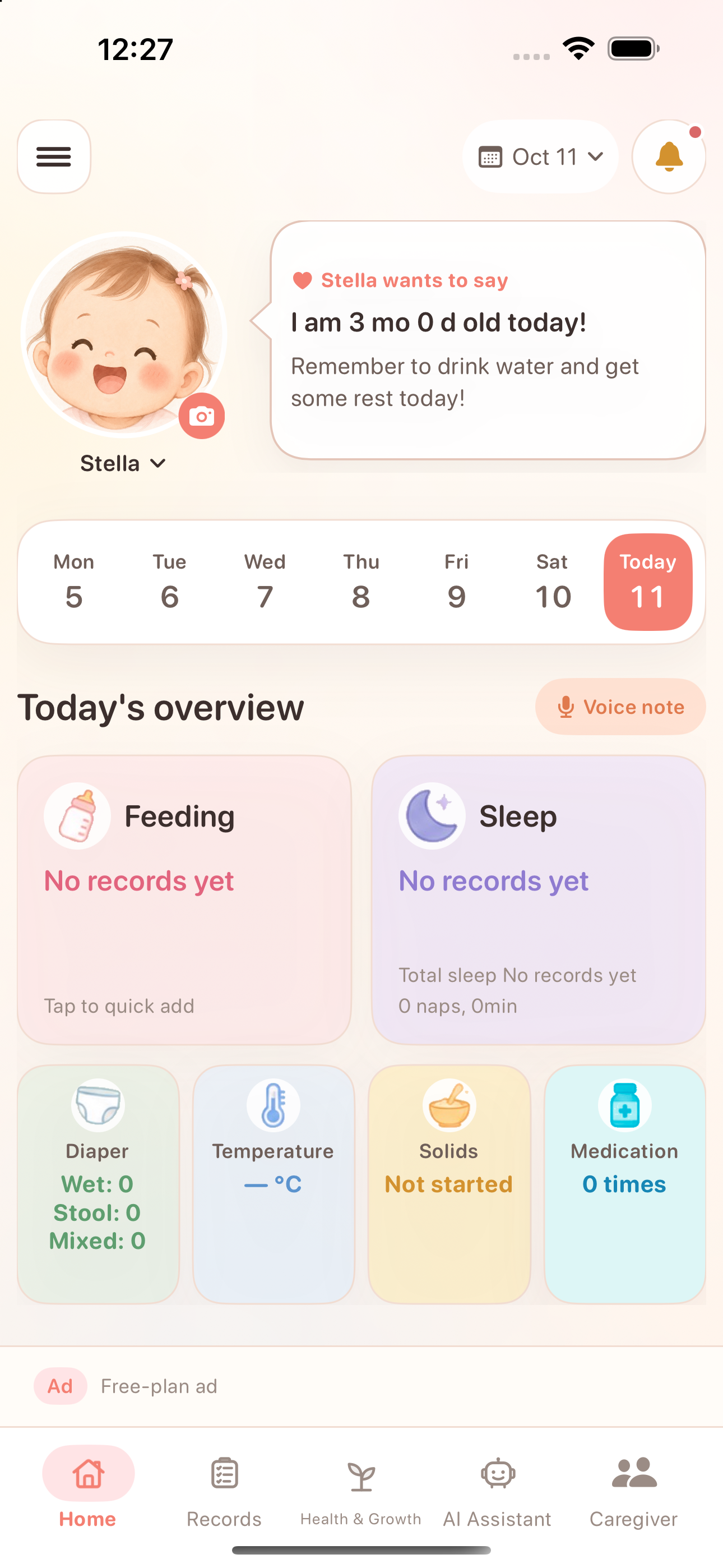
Actual App screens · Demonstration data
View full screenshot ↗Screens shown in English. The website is also available in other languages.
GROWING, AT THEIR OWN PACE
Bring everyday care and growing-up moments together, in a way that makes sense.
Keep height, weight, head circumference and milestone records together, and follow their story as it unfolds.
Organize vaccinations, appointments and health records for your next conversation with the doctor.
Explore foods, note textures and acceptance, and keep track of reactions after each new taste.
 You’ve done a lot today. We’ve got this.
A LITTLE TEAM, A LOT OF LOVE
Invite your partner, family or caregivers to contribute within the access you choose. A shared picture of baby’s day makes handovers a little easier.
A LITTLE MORE HELP, ON THE WAY
Voice-note organization, summaries and visit preparation are planned. AI features are not available yet.

Learn how accounts, family sharing and data management work, so you can make informed choices.
Read our privacy policyYou can join the iPhone and iPad beta through TestFlight. Open the download link and follow Apple’s instructions to install TestFlight, then Kinono. The full release is coming soon. Available places and builds are shown on the TestFlight page.
Features and screens may change, and the beta may contain errors. Share feedback through TestFlight or our support page. Use the app’s backup feature regularly for important records.
Kinono supports family and caregiver sharing. Invite the people who help care for your baby and manage what they can access using the app’s permission settings.
No. Growth trends and care organization help you prepare for conversations with a clinician; they do not replace medical advice or diagnosis. AI is not available yet, and future AI-extracted records will require parent confirmation.
Visit our support page below for contact information. Include your app and iOS or iPadOS versions, when the issue happened, and steps to reproduce it. Please avoid sharing unnecessary personal information.
This website is available in English, Traditional Chinese, Spanish, Japanese and Korean. The current App interface supports English and Traditional Chinese. The Spanish, Japanese and Korean pages show English App screens.
Kinono currently offers an iOS app for iPhone and iPad, requiring iOS or iPadOS 18 or later. Mac availability has not been confirmed. Check TestFlight for the requirements of the available build.
YOUR NEXT CHAPTER, TOGETHER
Start with one little moment today.
Join the TestFlight beta
Install with Apple TestFlight · This is a beta
Full release coming soon
App interface: English and Traditional Chinese.